


QFT tool to export quickly your iwzip file to external website
Below you will find a nice tool to export quicly the source files of your project.
I have asked to Incomedia to add this option into the step 5 of the interface to secure the project files on an external place in case of crash or other thing of your hard disk and to have the BIG risk to loose the source files of your project.
Something like that into this picture !
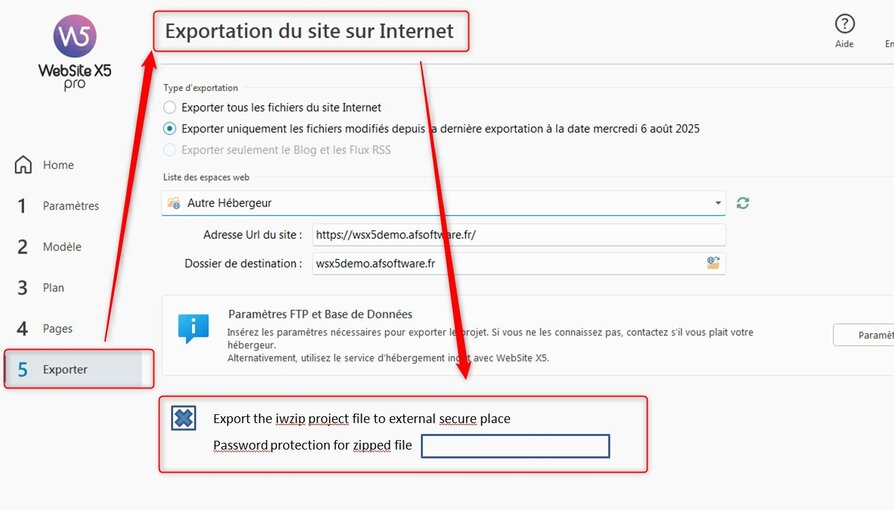
Today this option is not implemented... it' as pity. It should be nice
There are too many requests on the Help Center from users which have lost their project because the computer has crashed.
And the iwzip file was into a specific folder on the hardrive.... But hardrive is dead !!!!
Project source files too !!!
So I have developped a quick tool to do that directly from your computer ...
The concept is very light & easy
Just with a windows application you can now upload any iwzip file (in case of mutiple projects) on your preferred web host to put your
iwzip into a secure place outside of your computer (So you rproject will be saved in case of disk crash by example).
Just by one click by choosing your iwzip file on your computer, remote web hosted directory, and the password.
The tools will compress the file with your password (strong is better) provides by yourself.
When the compression is done, your zipped iwzip file is automatically upload to the remote directory on your web host machine
Connect the QFT tool to your ftp server (same as configured into step 5 into WSX5)
You choose your iwzip file (already generated previously into step 5) to zip it
You choose a password to add it into the zipping process to secure your project file
You choose a folder on the website to send the secured zipped file.
That's all
Here the QFT Window is:
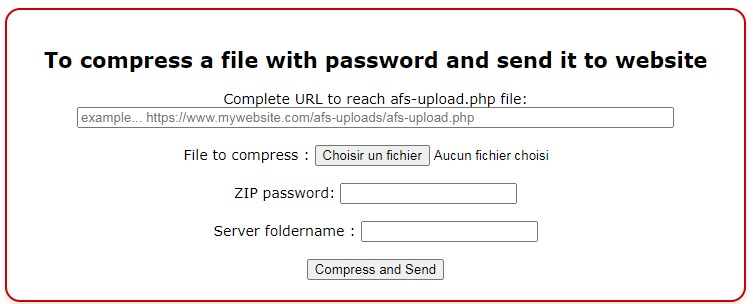
You will have a message during compression

And the sending message after compression

and at the end a message to show you where the zipped file has been downloaded.

And it's finish !!!!!
Now your iwzip file is into a secure place outside of your hardrive and fully secure by the password protection during zip compression.
Obviously we suggest to use a very strong password to secure your project file.... Don't forget it's your sources files of your website.
How to install the tool
You need to unzip the received file... One file named save.html is into HTML and other file named afs-upload.php into PHP.
No Needs to edit them.
You need to copy locally on your computer the save.html file into the root of your project, or other place if you want.
The afs-upload.php file needs to be sended to the root of your website into a specific directory called afs-uploads
It' important to modify your .htaccess file on your website by adding these lines...
# Configuration CORSHeader set Access-Control-Allow-Origin *Header set Access-Control-Allow-Methods "POST"Header set Access-Control-Allow-Headers "Content-Type"
After modification, don't forget to resent the .htaccess file to the root of your website
That's all !!!
Click directly on the save.html file and let's go !
Tip's
You use this tool to download any file to your provider to protect it from a hardisk crash !
At each case the downloaded file is copied into the specified directory during using of save.html file
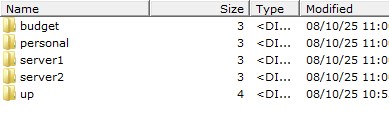
So the structure on your website can be like:
Another best option is to copy your save.html file on the desktop of your computer.
So you can just by clicking on the file to prepare a quick file transfer of any file (no file extension restriction) from your hardrive !!!!
And in this case you can save ANY file from your computer...
Destination will be always on the initial website into afs-uploads directory
And you can get the transferred files through any FTP client by going to afs-uploads directory
The directory structure is showed into previous picture to upload any file
But also you can use the WSX5 Interface into step 5 to have an access to afs-upload directory. In this case no needs of FTP client.
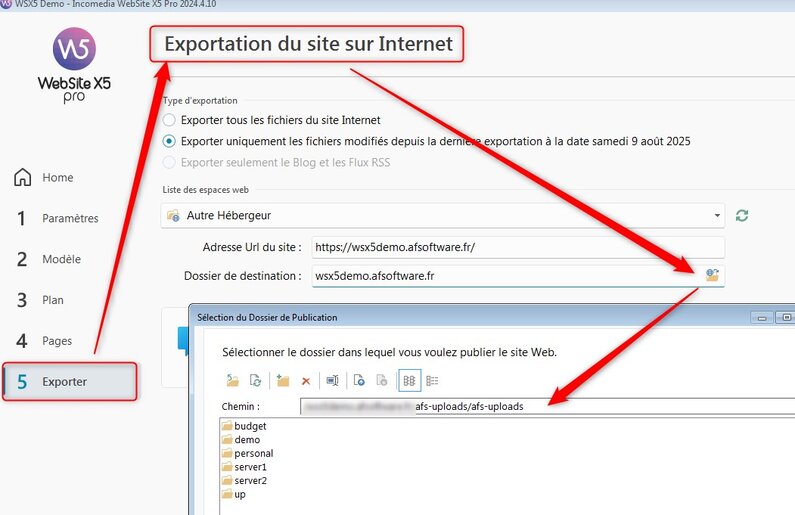
And you can also upload any files to your computer
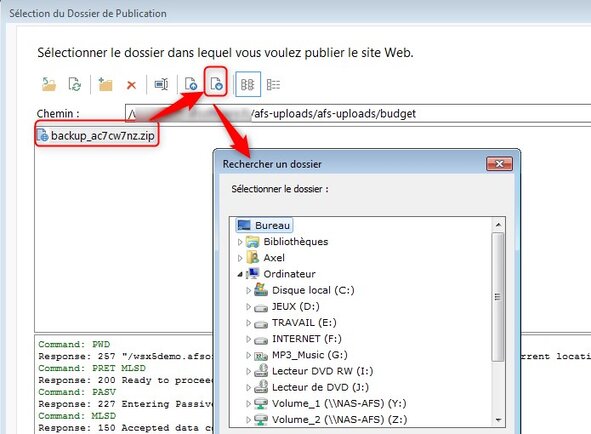
IMPORTANT !!!
After a quick file transfer to your afs-uploads directory,
we recommend (and for sure for the first transfer) to upload the file
to your computer and to test decompression with password to check if there is no CRC errors during the transfer.
With CRC errors, your file should be broken in this case.
CRC Errors are independant of this tool...
And your iwzip file about your project is into a secure place outside your home or office.... and also other important files
So now impossible to loose a project files... Always possible to get the zipped file from the folder on your website.
And your feedback by here
History
v2025.1First versionv2025.2In progress....